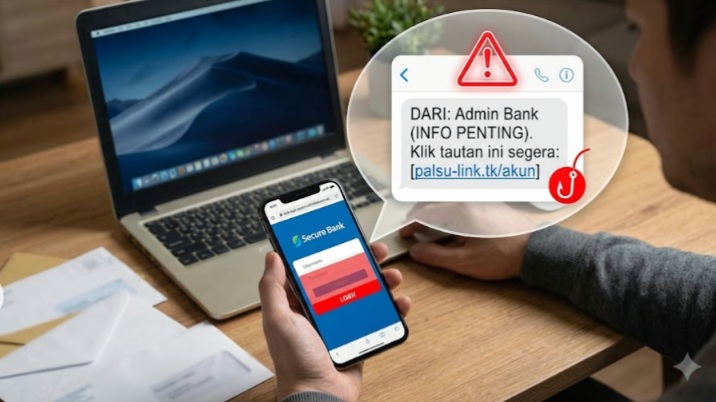
Common Examples of Phishing Websites
– Fake Bank Sites: Mimic real bank login pages. Victims enter user, password, and OTP. Then the account is drained.
– Fake E-commerce Promos: Appear during big sales like Harbolnas. Prices are way below market. Victims are asked to pay first. The item never arrives.
– Fake Giveaway Sites: Promise iPhones, vouchers, or balance. Requirement: login with Google/Facebook. The real goal is to steal your login data.
How to Effectively Avoid Phishing Links
– Check the URL carefully: Don’t click right away. Hover to see the full address. Make sure it starts with https:// and the domain is correct.
– Watch for typos and domain spoofing: Examples: xn--paypel-123.com, g00gle.com with a zero. This is a common spoofing trick.
– Enable extra security features Use authentication that doesn’t rely on OTP or passwords. This reduces data theft risk even if you click a bad link.
– Use Anti-Phishing Authentication: Technology has advanced. Some digital security providers now offer login systems without typing credentials.
Examples:
– Face Authentication / FaceToken: Uses facial recognition and liveness detection. Can reject deepfakes and fake videos. No OTP needed, so code theft risk drops to zero.
– Device Authentication / PhoneToken: Links your account to one registered device. Even if an OTP is stolen, scammers can’t log in from another phone because they need the device key.
This system breaks the phishing chain. Scammers have nothing to steal because login doesn’t require a password.
Conclusion
Phishing links are a real threat in the digital age. The tactics keep evolving and look more convincing every year.
The key is awareness. Always check the sender, inspect the link address, don’t panic easily, and use layered security features.
By understanding these signs and switching to modern authentication systems, you can minimize risk and stay safe when transacting online.